You are going to spend dozens of hours in GTA 6. Maybe hundreds. The least you can do is play it on a TV that does the graphics justice. This guide covers what matters for gaming on a TV in 2026, which technologies to look for, and specific models I recommend at different price points.
OLED vs QLED vs LED: what matters for gaming
These three panel technologies are the core decision. Each has real trade-offs for gaming.
OLED uses self-lit pixels. Each pixel turns itself on and off individually, which means perfect blacks and infinite contrast. OLED has the best motion handling of any panel type, with near-instant pixel response times. For a fast-paced game like GTA 6 where you are driving at high speed, shooting, and reacting quickly, OLED’s motion clarity is a genuine advantage, not just a spec sheet number.
The downside is brightness. OLEDs are getting brighter every year, but they still cannot match the peak brightness of high-end QLED or mini-LED sets. In a very sunny room, OLED can look washed out. In a dark or dim room, nothing beats it.
QLED (Quantum Dot LED) is a marketing term from Samsung for LED TVs with a quantum dot layer that improves color accuracy and brightness. QLED TVs are brighter than OLED, which helps in well-lit rooms. They do not have perfect blacks because the backlight is always on at some level, even with local dimming. High-end QLED sets use mini-LED backlights with thousands of dimming zones, which gets close to OLED contrast in many scenes.
For gaming, QLED’s brightness advantage matters for HDR content. If you play in a bright living room during the day, QLED is the more practical choice.
LED is the baseline. Standard LED TVs (without quantum dots or mini-LED) are the most affordable option. They are fine for casual gaming but will not give you the contrast, color, or motion performance that makes GTA 6 look great. I would only recommend a standard LED TV if your budget is under $500.
The features that matter for GTA 6
120Hz refresh rate
This is non-negotiable for a GTA 6 TV. Both PS5 and Xbox Series X support 120Hz output. GTA 6 will likely target 60 FPS on consoles, but a 120Hz TV gives you headroom for future patches, performance modes, and smoother motion processing. Any TV I recommend here is 120Hz.
VRR (Variable Refresh Rate)
VRR syncs the TV’s refresh rate to the console’s frame rate. If the game drops from 60 FPS to 52 FPS, the TV adjusts instead of tearing or stuttering. PS5 supports HDMI VRR. Xbox supports FreeSync and HDMI VRR. Every TV in this guide supports VRR. Do not buy a TV without it for gaming.
HDR
GTA 6 will use HDR. Look for TVs that support HDR10 and HLG at minimum. HDR10+ and Dolby Vision are nice but not essential for gaming. What matters more than the HDR format is peak brightness and local dimming. A TV with great HDR processing but low brightness will not deliver the visual pop you want.
Input lag
Input lag is the delay between pressing a button and seeing the result on screen. For gaming, lower is better. Anything under 20ms in game mode is good. All the TVs I recommend here hit that target. OLEDs typically have the lowest input lag because there is no backlight scanning to add latency.
HDMI 2.1
HDMI 2.1 is required for 4K at 120Hz, VRR, and auto low latency mode. Make sure the TV has at least two HDMI 2.1 ports. Some manufacturers label all ports as 2.1 but only one or two truly support full bandwidth. Check the manual.
Size recommendations
55 inch
Good for smaller rooms or if you sit 5 to 6 feet from the screen. 55 inch is the minimum I would consider for a GTA 6 setup. Below that, you lose the immersion of a large open world game. 55 inch OLEDs are also the most affordable entry point into OLED gaming.
65 inch
The sweet spot for most people. At 65 inches, Vice City’s skyline and the open roads feel properly large. You get enough screen real estate to appreciate the detail Rockstar puts into their environments. 65 inches is what I play on, and I would not go smaller for an open world game.
77 inch and above
If you have the space and the budget, 77 inch is incredible for open world games. The sense of scale is unmatched. But 77 inch OLEDs are expensive, often double the price of the 65 inch version of the same model. Only go this big if you have a dedicated gaming room or a large living room with seating 8 to 10 feet back.
TV recommendations for GTA 6
Best overall: LG C4 OLED
The LG C4 is the best all-around gaming TV at its price point. It has a 120Hz OLED panel, full HDMI 2.1 support on multiple ports, VRR (including G-Sync and FreeSync), and very low input lag. LG’s webOS is fast and the game mode is well implemented. The C4 hits 1,000+ nits of peak brightness in HDR, which is strong for an OLED.
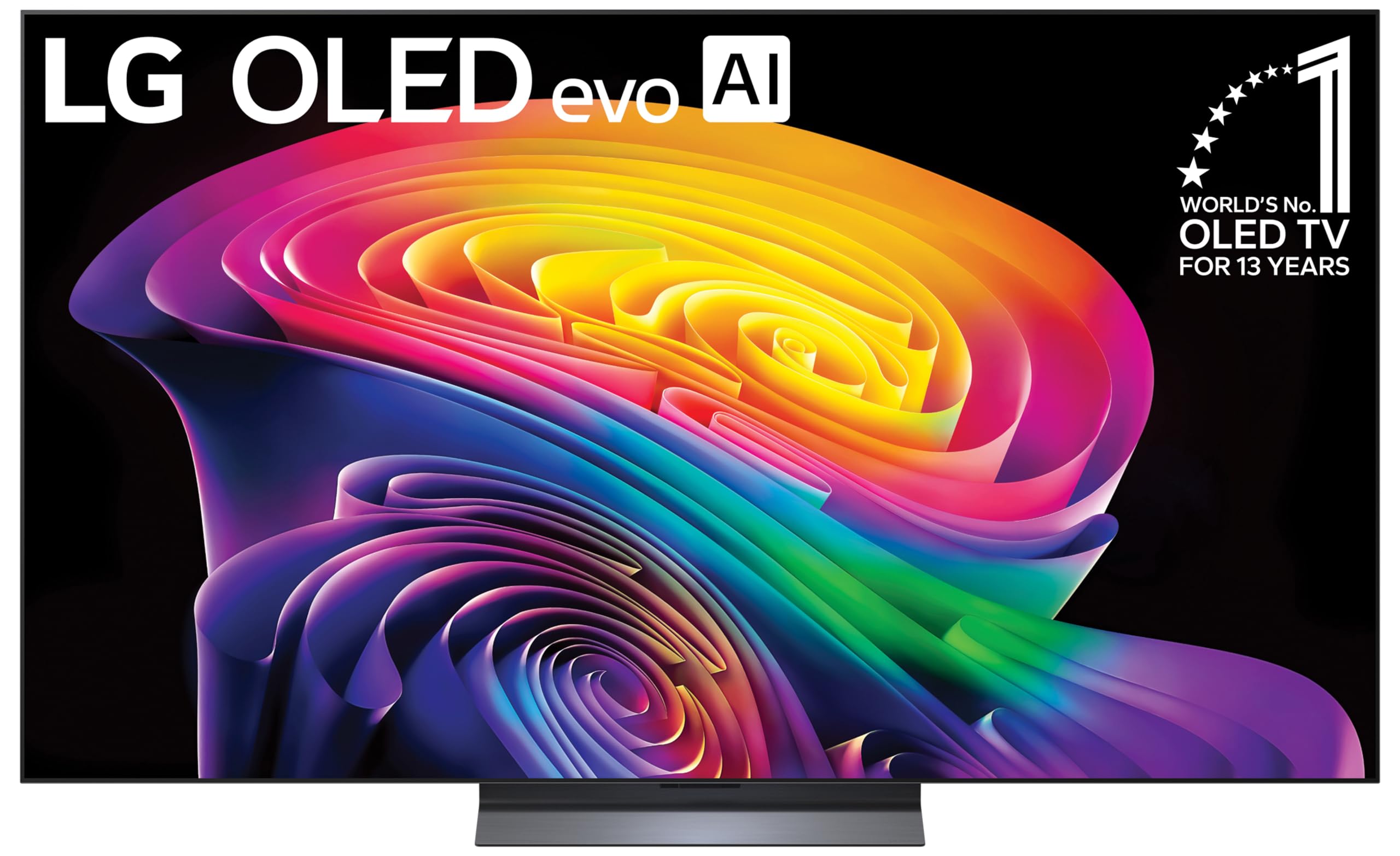
LG C4 OLED 65 inch is my top pick. If you want to save money, the
LG C4 OLED 55 inch is the same panel in a smaller size for a few hundred dollars less.
Best premium: Samsung S95D OLED
Samsung’s S95D uses a QD-OLED panel that combines OLED’s perfect blacks with quantum dot color and brightness. It is the brightest OLED on the market, which makes it the best choice if you want OLED quality but play in a bright room. The S95D also has a glare-free screen coating that genuinely works, unlike some anti-glare treatments that just diffuse everything into a haze.
Samsung S95D OLED 65 inch is the premium pick. It costs more than the LG C4 but the brightness and color performance justify the gap if you have the budget.
Best bright room: Samsung QN90D Neo QLED
If your gaming setup is in a sunny living room and OLED’s brightness is a concern, the Samsung QN90D is the answer. It uses mini-LED backlighting with thousands of dimming zones, delivering brightness levels that OLED cannot match (2,000+ nits). The local dimming is good enough that in most scenes you will not notice the lack of perfect blacks. It also has Samsung’s excellent gaming dashboard and very low input lag.
Samsung QN90D Neo QLED 65 inch is the one to get. The 55 inch is also available at
Samsung QN90D 55 inch if you want to spend less.
Best budget: Hisense U8N
The Hisense U8N is the best TV under $1,000 for gaming. It uses mini-LED backlighting, supports 120Hz at 4K, has VRR, and gets bright enough for solid HDR performance. It is not as polished as Samsung or LG in terms of software and processing, but the raw panel performance is excellent for the price.
Hisense U8N 65 inch gives you 90 percent of the performance of the QN90D for roughly half the price. For a budget GTA 6 setup, this is the TV I would buy.
Ultra budget: TCL Q6
If you are on a tight budget, the TCL Q6 is the floor I would recommend. It is a QLED panel with 120Hz support (at 1080p and 1440p, 4K is limited to 60Hz on some models, so check the specs for your size). It supports HDR10 and Dolby Vision. It will not blow you away, but it is a legitimate gaming TV for under $500.
TCL Q6 55 inch is the cheapest TV I would consider for GTA 6. Anything less expensive than this and you are making real compromises on motion and color.
Sound: do not forget audio
TV speakers are universally bad. GTA 6 will have a full radio station lineup, positional audio for combat and driving, and a detailed soundscape. You owe it to yourself to get a soundbar at minimum.
The Sony HT-S2000 is a compact 3.1 channel soundbar with a wireless subwoofer that costs under $300 and sounds dramatically better than any TV’s built-in speakers. If you have more budget, the Samsung HW-Q990D is a full 11.1.4 channel system with Dolby Atmos that will make GTA 6’s audio feel like a movie theater.
Calibration tips for GTA 6
Once you have your TV, take 15 minutes to set it up properly:
- Turn on game mode. This disables most processing and gives you the lowest input lag.
- Enable VRR. On LG TVs it is in the picture settings under “Additional Settings.” On Samsung it is under “Game Mode Settings.”
- Set HDR to “on” not “auto.” Auto mode sometimes fails to trigger HDR correctly.
- Turn off motion smoothing. It adds input lag and makes games look weird. Every TV calls it something different (TruMotion, Auto Motion Plus, Motion Flow), find it and disable it.
- Set color temperature to warm. Most TVs ship with a cool or standard temperature that looks blue and washed out. Warm 2 or Warm 50 is usually closest to the intended look.
Why OLED is better for gaming than for movies
People often say OLED is great for movies because of the perfect blacks. That is true, but OLED is better suited to gaming than to movie watching, and the reasons are worth understanding.
Movies are 24 frames per second. OLED’s instant pixel response time can make 24 FPS content look stuttery, because there is no motion blur to smooth between frames. This is why some OLED owners complain about judder with cinematic content. TVs add motion interpolation to fix this, but that introduces its own artifacts.
Gaming is different. GTA 6 will run at 30 or 60 FPS on consoles, and the fast pixel response of OLED means each frame is rendered cleanly with no ghosting or blur trailing. When you are driving 150 mph down a Vice City highway, you want every frame to be sharp. LCD panels (including QLED and mini-LED) have slower pixel transitions, which creates motion blur at high speeds. OLED does not have this problem.
The other gaming-specific advantage is input lag. OLED panels do not have backlight scanning, which is a technique LCD TVs use to improve motion clarity by strobing the backlight. Backlight scanning adds latency. OLED gets its motion clarity from the panel itself, so there is no scanning penalty. This is why OLED TVs consistently post some of the lowest input lag numbers in testing.
For HDR gaming specifically, OLED’s per-pixel lighting means bright highlights in a dark scene (like muzzle flash in a night mission) are rendered with no blooming. LCD TVs with local dimming will bloom around bright objects in dark scenes, which is distracting in gameplay. You do not notice it much in movies because you are watching passively. In a game, you are looking at the dark area and a flash of light creates a visible halo around the source. OLED eliminates this entirely.
Input lag comparison: budget vs premium TVs
Input lag is the metric that separates a good gaming TV from a bad one, and the gap between budget and premium models is wider than most people realize.
Premium OLED TVs from LG and Samsung typically measure 5 to 9 ms of input lag in game mode at 4K/60Hz. At 4K/120Hz, that drops to 3 to 5 ms. These numbers are so low that no human can perceive the delay. The game responds the instant you press a button.
Mid-range mini-LED TVs like the Hisense U8N and TCL QM8 measure 9 to 15 ms in game mode. Still excellent. You will not feel any delay.
Budget TVs are where the problem shows up. The TCL Q6 and similar entry-level sets often measure 15 to 25 ms in game mode, and some can spike higher during HDR processing. Sub-$300 store brand TVs (Insignia, Onn, Westinghouse) can hit 30 to 50 ms, which is noticeable. At 40 ms, you press a button and there is a visible delay before the action happens on screen. For a fast-paced game like GTA 6, that gets you killed.
The other issue with budget TVs is that some do not have a proper game mode at all. They have a “Game” picture preset that reduces some processing but does not fully disable image enhancements. Always test a TV with a fast game before committing. If the TV has a game mode that measures under 20 ms, it is acceptable. Over 25 ms, return it.
How ray tracing in GTA 6 benefits from specific TV features
Ray tracing in GTA 6 means real-time reflections, dynamic shadows, and global illumination. These effects look dramatically different depending on your TV’s capabilities.
Reflections are the most visible RT effect. In the trailer, puddles on Vice City streets showed real-time reflections of buildings, cars, and sky. On a TV with good contrast (OLED or high-zone mini-LED), these reflections look deep and realistic because the dark puddle surface has near-zero light bleed. On a budget LED TV with limited dimming, the puddle looks gray and washed out, because the backlight is bleeding into the dark area. The reflection is still there, but it has no contrast to stand out against.
Global illumination is trickier. RTGI (ray traced global illumination) fills shadowed areas with bounce light, which looks natural but requires a TV that can render subtle brightness gradients. OLED excels here because each pixel controls its own brightness. LCD panels with coarse local dimming can create banding in subtle gradient areas, where you see visible steps between brightness levels instead of a smooth transition.
If you care about seeing ray tracing at its best, OLED is the clear winner. The per-pixel lighting model of OLED matches the per-pixel lighting model of ray tracing. They are made for each other.
VRR explained simply
Variable Refresh Rate (VRR) is one of those features that sounds technical but solves a simple problem.
Games do not run at a constant frame rate. GTA 6 might run at 60 FPS most of the time, but drop to 52 FPS during a heavy explosion or a crowded street scene. Without VRR, your TV refreshes at a fixed 60 Hz. When the game drops below 60 FPS, the TV and the game fall out of sync. This causes screen tearing (horizontal lines where the image splits) or stuttering (juddery motion as frames are repeated or dropped).
With VRR, the TV adjusts its refresh rate to match the game’s actual frame rate. If the game drops to 52 FPS, the TV refreshes at 52 Hz. No tearing, no stuttering. The motion stays smooth even when the frame rate dips.
This matters for GTA 6 because open world games have variable frame rates by nature. You cannot fine-tune every possible scenario in a game with this much simulation. VRR smooths over the dips so you do not notice them.
PS5 supports HDMI VRR (the VRR standard built into HDMI 2.1). Xbox supports HDMI VRR plus FreeSync. All the TVs in this guide support both. If you are buying a TV not listed here, verify VRR support for your specific console. Some TVs support VRR on some ports but not others. Some support FreeSync but not HDMI VRR, which matters for PS5 owners.
One caveat: VRR has a range. If the game’s frame rate drops below the VRR floor (usually 40 to 48 Hz depending on the TV), VRR stops working and you get tearing again. Some high-end TVs have “VRR extended range” or LFC (Low Framerate Compensation) that doubles frames to stay within range. Check for this if your TV supports it.
Does 8K matter for GTA 6?
No. 8K does not matter for GTA 6 on consoles, and it barely matters for PC gaming in 2026.
The PS5 and Xbox Series X output at a maximum of 4K. Neither console supports 8K output for games (the “8K” label on the PS5 box refers to media playback, not gaming). GTA 6 will render at 4K or below on consoles. An 8K TV will upscale the 4K image, but that does not add detail. It just stretches the same pixels across more screen real estate.
On PC, running GTA 6 at 8K would require an RTX 4090 or better, and even then you would be using upscaling and getting 30 to 40 FPS at best. The performance cost is enormous and the visual benefit over 4K is marginal unless you are sitting very close to a very large screen (77 inches or bigger at 4 feet).
8K TVs are also expensive. A 65 inch 8K OLED costs 50 to 70 percent more than the same size 4K OLED, and the image quality improvement for gaming is effectively zero. Save the money and put it toward a better 4K TV, a soundbar, or more games.
The one scenario where 8K helps: if you sit close to a massive screen (85 inches at 5 feet), 8K reduces visible pixel structure. But that is a niche setup. For 99 percent of players, 4K is the right choice.
Sound system recommendations: soundbars vs AV receivers
TV speakers are bad. I said it earlier and I will say it again. But the audio upgrade path has two branches, and which one you take depends on your room and your budget.
Soundbars
Soundbars are the easy choice. They are simple to set up (one cable to the TV, plug in the subwoofer, done), take up minimal space, and sound dramatically better than TV speakers. For GTA 6, a good soundbar gives you clear dialogue during cutscenes, punchy bass for explosions and car engines, and decent positional audio for combat.
Budget pick: the Sony HT-S2000 at under $300. It is a 3.1 system with Dolby Atmos support and a wireless subwoofer. It will not shake your walls, but it is a massive upgrade over TV audio.
Mid-range pick: the Sony HT-A3000 at around $400. Better sound stage, more bass, and Sony’s spatial audio processing works well for open world games.
Premium pick: the Samsung HW-Q990D at around $1,800. This is an 11.1.4 channel system with wireless rear speakers and up-firing Atmos drivers. It fills the room with sound and the rear speakers add genuine directional awareness. You can hear cars coming up behind you in GTA 6. It is expensive but it is the closest a soundbar gets to a full home theater.
AV receivers and speaker systems
If you have a dedicated gaming room and care about audio quality, a proper AV receiver with bookshelf or tower speakers beats any soundbar. The sound is fuller, the stereo imaging is better, and you can upgrade individual components over time.
A basic 5.1 setup: an entry-level AVR like the Denon AVR-X1800H ($500) paired with a 5.1 speaker package like the Polk Audio Monitor XT Series ($600) gives you genuine surround sound for around $1,100 total. That setup will outperform a $1,800 soundbar in raw sound quality, though it takes more effort to set up and requires running speaker wire around your room.
For GTA 6, the advantage of a 5.1 or 7.1 system is precise positional audio. You can hear exactly which direction gunfire is coming from, which direction a police siren is approaching from, and where NPCs are walking around you. Soundbars simulate this with virtual channels, but physical speakers placed around you are more accurate.
My recommendation: if you game in a living room and want simplicity, get the Sony HT-S2000 or Samsung HW-Q990D depending on budget. If you have a dedicated room and care about audio, build a 5.1 system with a Denon receiver.
HDMI cable requirements
This is simpler than retailers make it seem. You need an HDMI 2.1 cable for 4K at 120Hz with VRR. That is it.
The cable that comes with your PS5 or Xbox is HDMI 2.1 capable and will work fine. You do not need a $80 “premium” cable. A $10 to $15 HDMI 2.1 certified cable from a reputable brand (Monoprice, Amazon Basics, Belkin) will carry 4K/120Hz with VRR and HDR with no issues.
The one thing to watch for: cable length. HDMI 2.1 is certified for 48Gbps up to about 3 meters (10 feet). If your TV is farther from your console than that, you need an active optical HDMI cable, which costs more ($40 to $60). Passive HDMI cables longer than 10 feet can drop signal at 4K/120Hz and cause flickering or black screens.
Do not buy into cable marketing. There is no “gaming grade” HDMI cable that performs better than a standard certified HDMI 2.1 cable. The signal is digital. It either arrives or it does not. Pay for certification and build quality, not gold-plated connectors or oxygen-free copper nonsense.
TV settings to change for the optimal GTA 6 experience
Beyond the basic calibration tips I covered earlier, here are specific settings that make a real difference for GTA 6:
Sharpness: set to 0 or very low. Most TVs ship with sharpness at 50 percent or higher. This adds artificial edge enhancement that makes textures look harsh and noisy. GTA 6’s already-sharp rendering does not need artificial sharpening. Drop it to 0 and let the game’s native detail show through.
Dynamic contrast: off. This setting dynamically adjusts contrast based on scene content. It sounds good but it causes brightness pumping, where the whole image gets brighter and darker as scenes change. It is distracting in gameplay. Disable it.
Black level / black adjuster: off. These settings crush shadow detail by making dark areas uniformly black. In GTA 6, you need to see into shadows during night missions. Crushing blacks means you cannot see enemies hiding in dark areas. Turn it off.
Color saturation: leave at default. Do not crank color saturation. GTA 6’s art direction is already tuned for a specific look. Oversaturating makes Vice City look like a cartoon. If anything, slightly reduce saturation for a more natural look.
Noise reduction: off. This is designed for low-quality video sources. It smooths over fine detail in games, making textures look blurry. Always disable noise reduction when gaming.
ALLM (Auto Low Latency Mode): on. This automatically switches the TV to game mode when it detects a game signal from the console. It means you do not have to manually switch modes every time you play. Both PS5 and Xbox support this.
Warranty and return policy advice
Buy your TV from a retailer with a generous return policy. This matters more than the warranty.
Costco, Best Buy, and Amazon all offer 15 to 90 day return windows depending on the TV and your membership status. Costco is the best: 90 days for TVs, no questions asked. Best Buy gives you 15 days standard, 45 days with Totaltech membership. Amazon gives 30 days for most TVs.
Why does this matter? Panel defects (dead pixels, banding, color uniformity issues) are common on both OLED and LCD panels. A single dead pixel in the center of your screen will annoy you for the entire life of the TV. Banding (visible vertical bands of slightly different brightness) is especially common on OLEDs and is very visible in panning shots across skies or flat walls. You want the option to return a TV with these issues without a fight.
Manufacturer warranties cover defects for 1 to 2 years but the process is slow and often requires you to ship the TV to a service center. A store return is faster and easier.
For extended warranty: Costco includes 2 years of extended warranty on TVs through Concierge Services, plus another 2 years if you use the Costco Citi Visa card. That is 4 years of coverage for free. Best Buy’s Geek Squad Protection adds 3 to 5 years for $100 to $300 depending on the TV price. SquareTrade (Amazon) offers similar coverage.
I generally do not recommend extended warranties for most electronics, but for a TV you will use for 5 to 7 years, the Costco coverage is worth it because it is included. If you are not buying from Costco, self-insure: put the warranty cost in a savings account instead. If the TV breaks after the manufacturer warranty expires, you have the money to repair or replace it.
One specific note for OLED: burn-in is covered by most manufacturer warranties for the first 2 years (LG, Sony, Samsung all include it). Burn-in is rare with varied gaming content but can happen if you play the same game with static HUD elements for thousands of hours. GTA 6’s HUD changes as you switch between driving, combat, and menus, so burn-in risk is lower than a game with a permanent fixed UI. Still, if you are buying OLED, verify the burn-in warranty terms before purchase.
My recommendation
If I were buying a TV today for GTA 6, I would get the LG C4 OLED in 65 inches. It hits every requirement: 120Hz, VRR, great HDR, low input lag, and OLED motion clarity that makes fast driving and combat look better than any other panel type. If budget is a concern, the Hisense U8N gets you 80 percent of the way there for half the price. Do not overthink the panel technology debate. Buy the best TV you can afford that has 120Hz, VRR, and low input lag, and you will have a great GTA 6 experience.